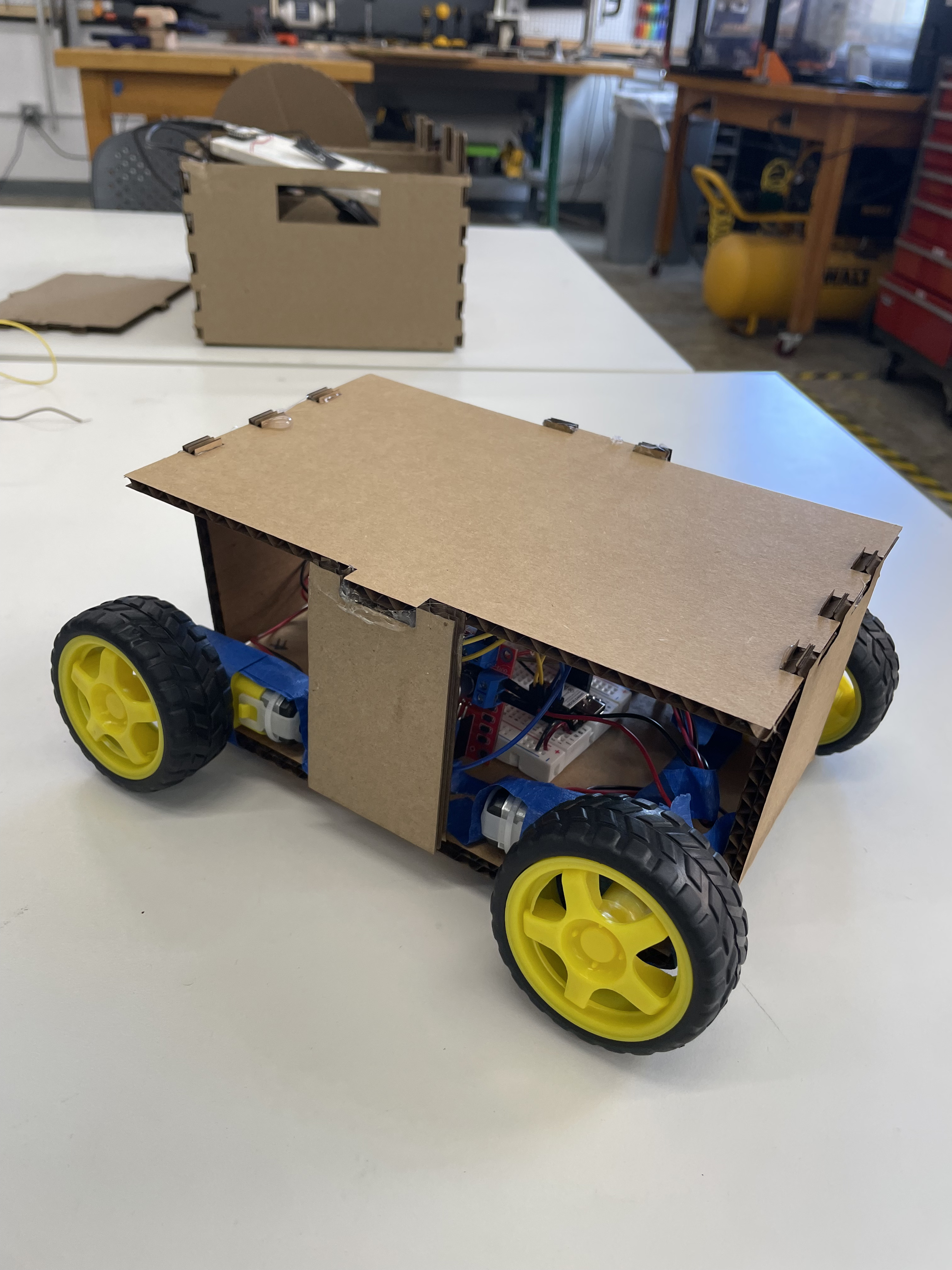
While working in manufacturing this past summer, I saw that parts, tools, and heavy equipment would often have to be transported around the factory. This was often inconvenient, especially when your hands are full. In other situations, it could be helpful to have a mobile workspace or a way to easily extend your workspace when needed. To help in these situations, I thought it would be fun to make a moving table that could move with the user.
How it works
The table is controlled by two ESP32 microcontrollers — one on the table itself and one on the glove. The two communicate through ESP-NOW. Here's a brief summary of what each does.
Motor ESP32
The ESP32 attached to the table controls the motors. It receives instructions from the glove ESP32 on which direction to move, then communicates with the motor drivers to rotate the wheels accordingly.
Glove ESP32
The ESP32 attached to the glove processes acceleration data from the accelerometer/gyro (the MPU-6050 has both) and transcribes it into directions for the motors. It then sends these directions to the Motor ESP32 to move the table.
For the full code with comments:
↓ Motor ESP32 (.ino) ↓ Glove ESP32 (.ino)Bill of materials
- 2× ESP32 XIAO
- 2× L298N motor drivers
- 1× MPU-6050 accelerometer
- 1× ESP32-CAM
- 4× DC motors
- 4× wheels
- 2× USB batteries
- 2× breadboards
- 1× glove
- Wires
- Wood
- Acrylic
Iteration 1
I built my first iteration for MVP week. My goal was to control and move all 4 wheels. I implemented WASD controls that let you drive the motors through the 2 L298N drivers from your laptop. I got all the wheels moving individually and achieved general forward/backward and rightward motion with the prototype.
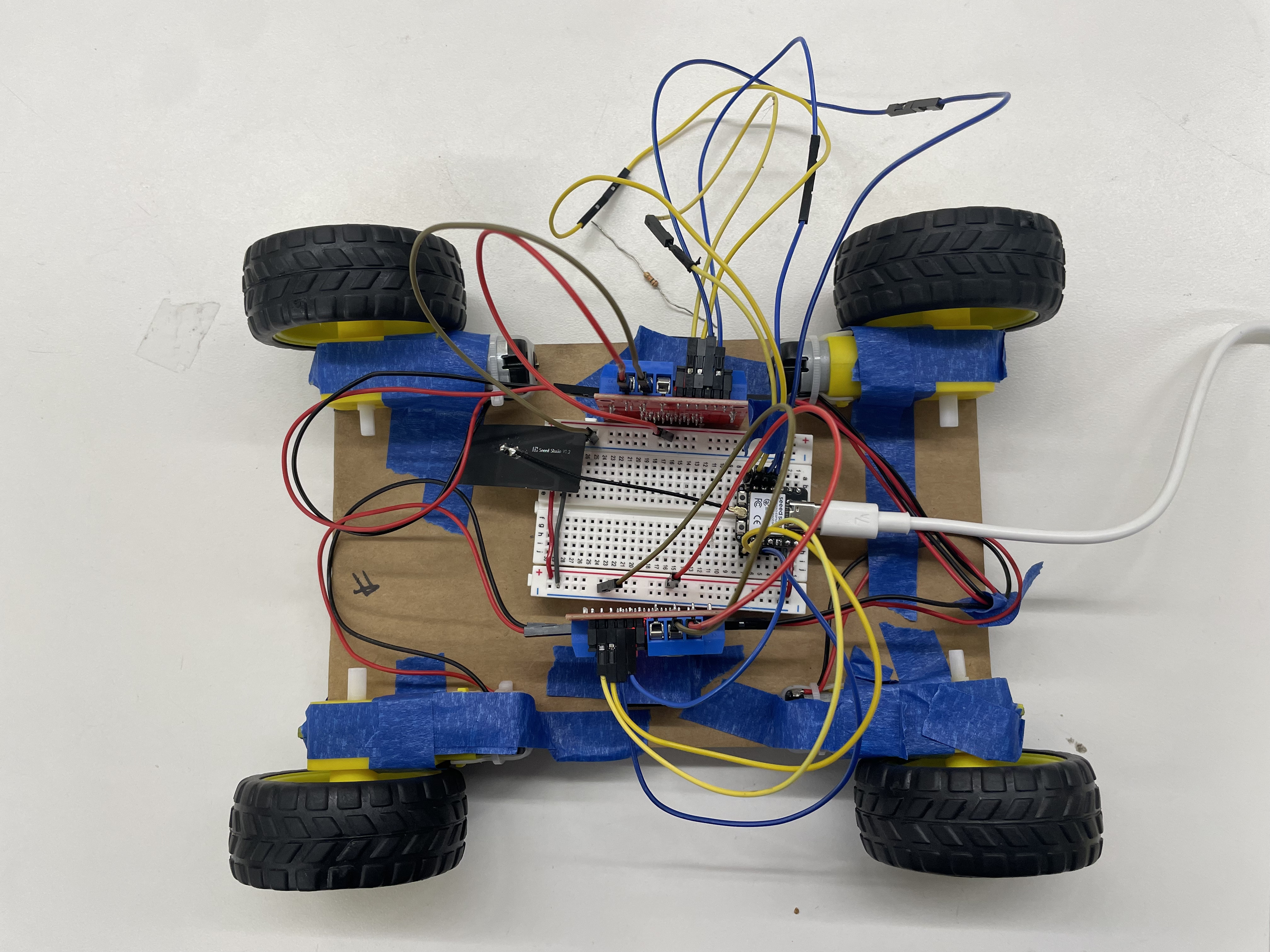
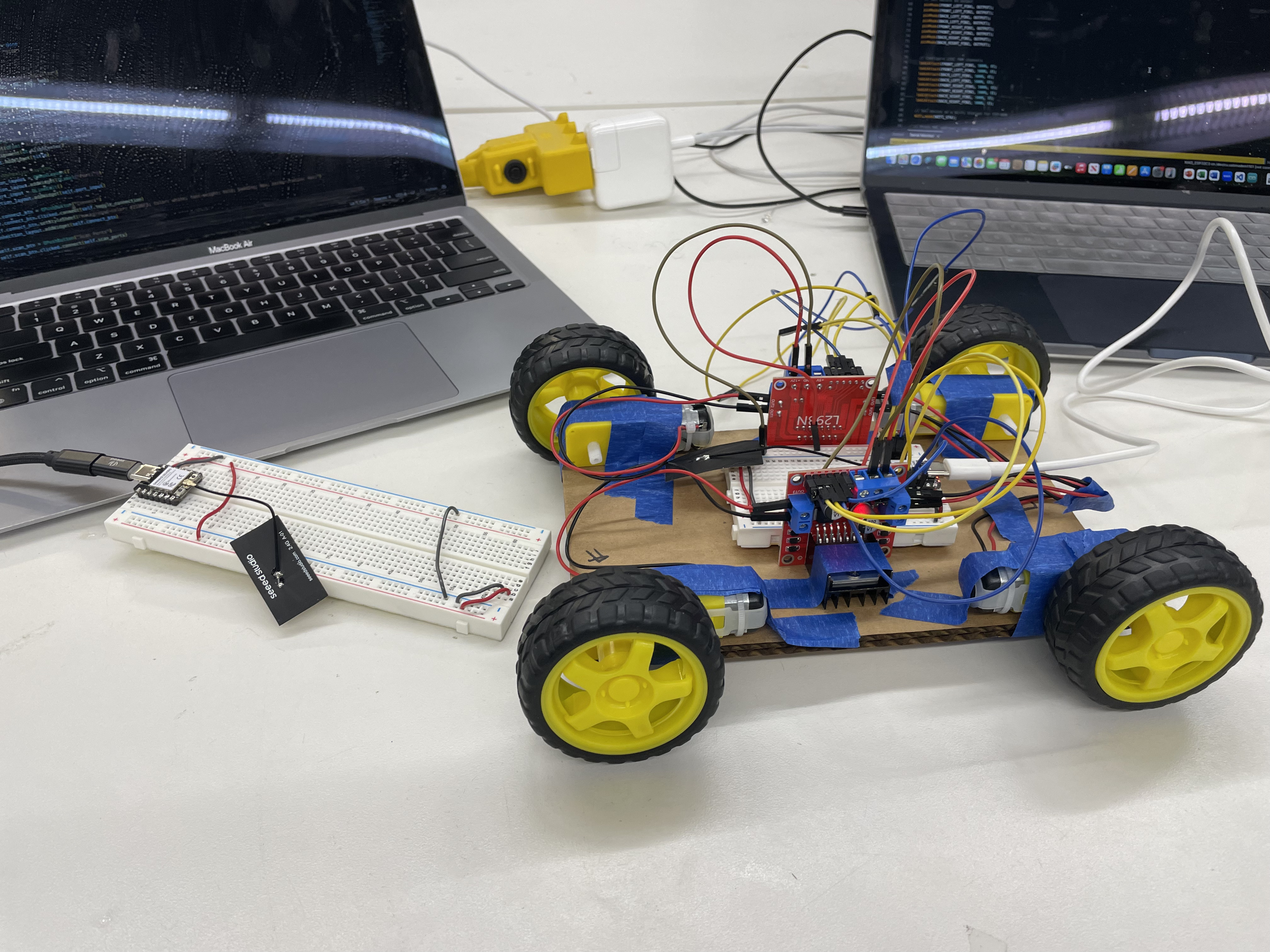
I was pretty happy with my MVP since I hadn't worked with any hardware before this class. I had two primary issues though. First, my controls kept me tethered to my laptop, defeating the table's portability. Second, not all my wheels would rotate when they all had to move — usually the back-left wheel wouldn't move while the others could.
Iteration 2
For this iteration, I added two new features:
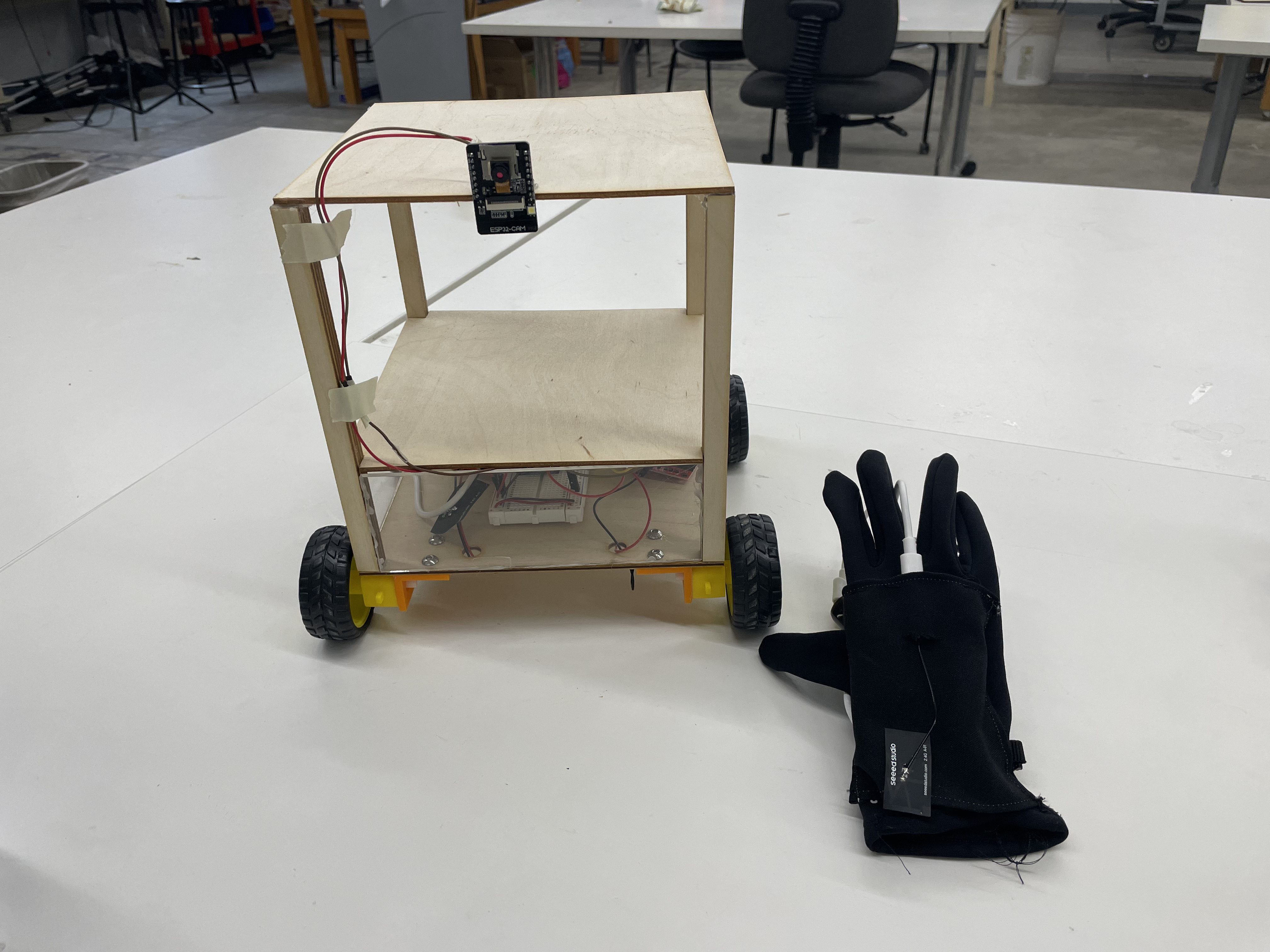
- Camera — I added a live camera feed using the ESP32-CAM, set up via web server. The streaming device must be on the same WiFi network as the ESP32. Now we can see where the table is moving and control it out of our line of sight.
- Updated controls — Previously the table used WASD keyboard input. After networking week, I realized I could use the MPU-6050 gyro/accelerometer to control movement, so the table could really "follow" you without a literal remote. I adapted the turret-head gyro code to instead translate tilt data into motor instructions (forward, backward, left, right), so I only had to update the controller ESP32 code. Now, tilting the gyro moves the table accordingly.
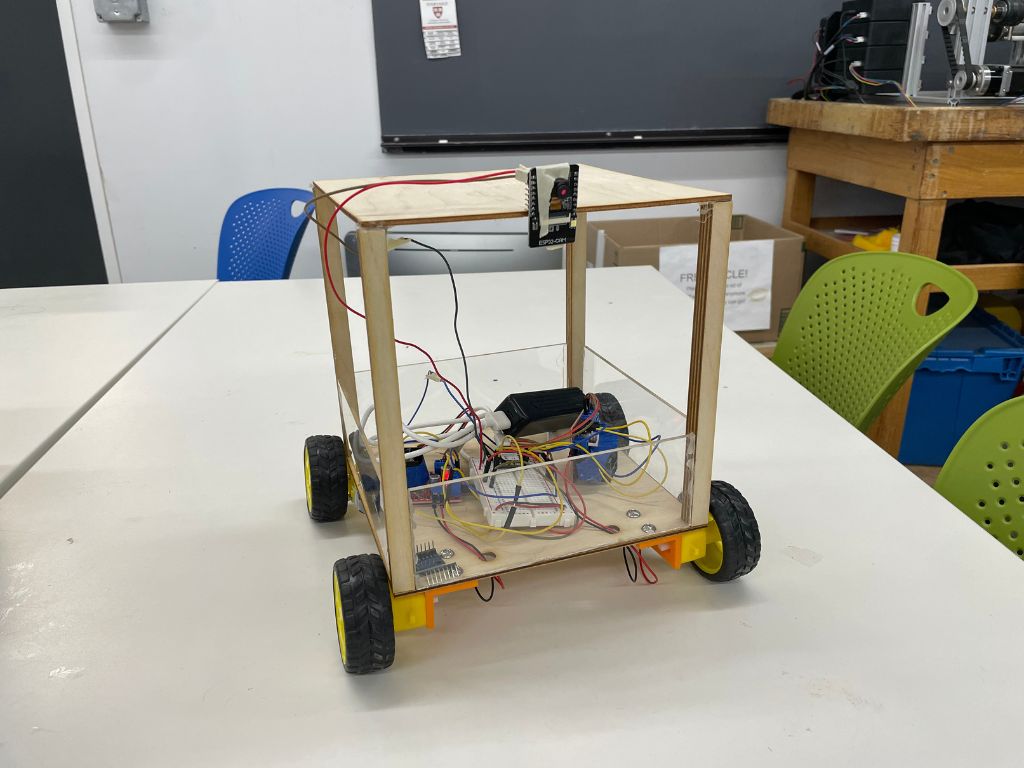
I was still having an issue with one wheel refusing to move, even after individually replacing each piece of hardware and checking the software. Also, I somehow flipped the left/right tilt orientation — but that should be a quick fix.
Iteration 3
For my final iteration, I updated my gyro control logic, integrated the gyro into a glove, fixed the wheels/motor control, and mounted my ESP32-CAM to the table.
Glove integration + gyro logic
I fully integrated the gyro into a glove so users can control the table just by pointing their hand. This made me realize the current controls would be awkward (you'd have to keep your palm parallel to the floor while walking), so I updated the gyro controls — the default position is now the hand resting at the user's side. I also sewed a pocket into the glove to hold the gyro and its breadboard.
Motor debugging
After many hardware debugs and replacements, Bobby and I researched further and realized the reason one wheel refused to move was how the PWM software worked — it allowed for only 6 PWM channels. I was trying to PWM 8 channels (2 per wheel), so one wheel simply wasn't being properly powered.
To resolve this, I let both right motors share the same pins on my ESP32, since those wheels always move together. I also cleaned up the turning logic: instead of having the inner wheels rotate slower when turning, I made them rotate backwards. This drastically improved the smoothness of the table's turns.
Reflections
Coming into this class having never touched any hardware (other than my laptop) before, I found this project very rewarding. I was able to implement pretty much my original idea, and it was super cool to see it come to life over the course of the class.
The most challenging part was definitely the hardware. As I built prototypes, I'd often run into hardware problems, and I found debugging hardware much more difficult than debugging software. When I started, I usually had no idea where to look (and would often scrutinize code instead of wires). Sometimes it was a faulty piece of hardware, or some inherent characteristic I didn't know about (like the PWM channels).
I also realized there are a lot of things I don't think about while working with hardware. When designing my motor mounts, I went through multiple design changes as I realized I was doing silly things (like not flipping the orientation of the mounts, or forgetting to account for the thickness of the mount itself).
If I were to improve this project, I'd scale the table up and increase its speed so it could be more practical and convenient. I'd also make greater use of the camera by implementing an auto-dock feature that lets the table dock based on a visual cue — a fun software challenge.
Overall, I enjoyed the learning process. I came away with more confidence to work on hardware projects and a better idea of hardware's capabilities and uses. I hope to use this experience on new projects that combine software and hardware in the future (and to keep hanging around the makerspace)!
Gallery