Assignment: Program something with IoT
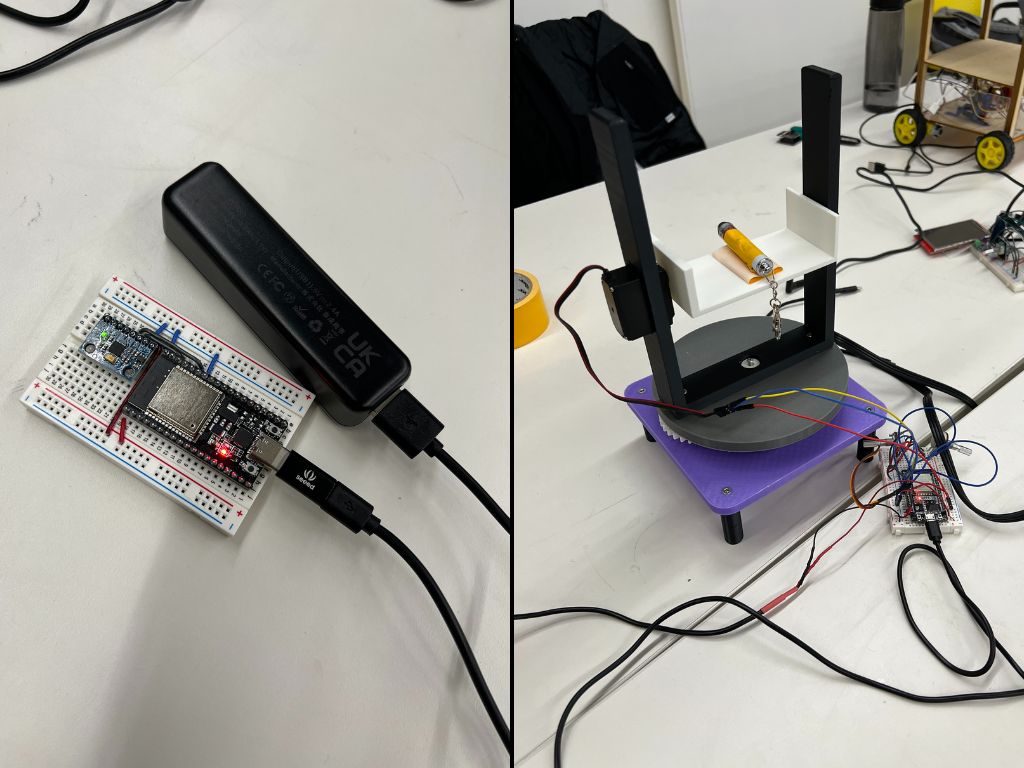
For this week's assignment, Matthew, Victor, and I wanted to combine 3 of our projects by getting them to all communicate with one another. We used Victor's camera project, Matthew's turret, and my moving table.
The idea
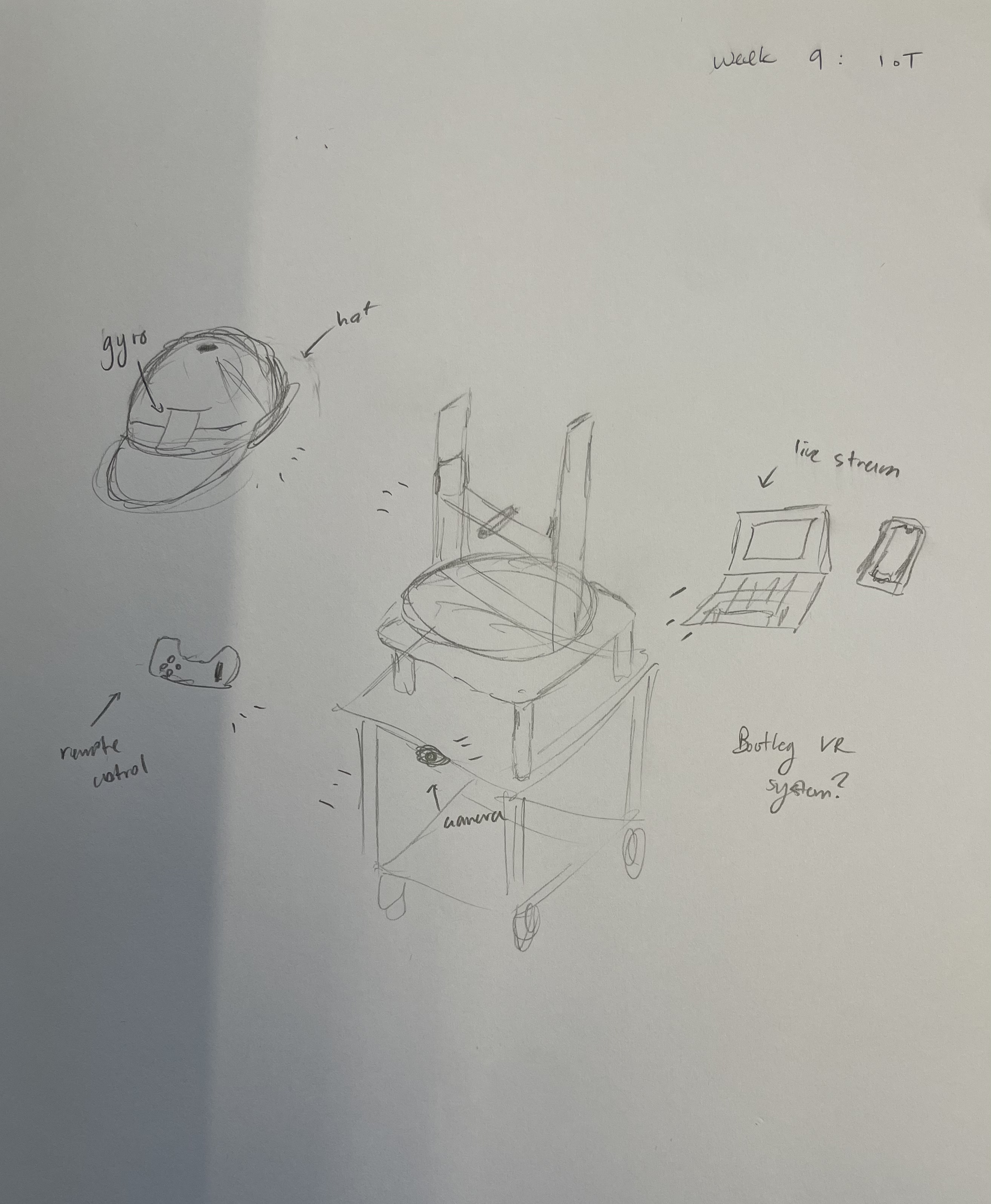
Get a gyro to control the head of the turret and stick it on the table.
Gyro implementation
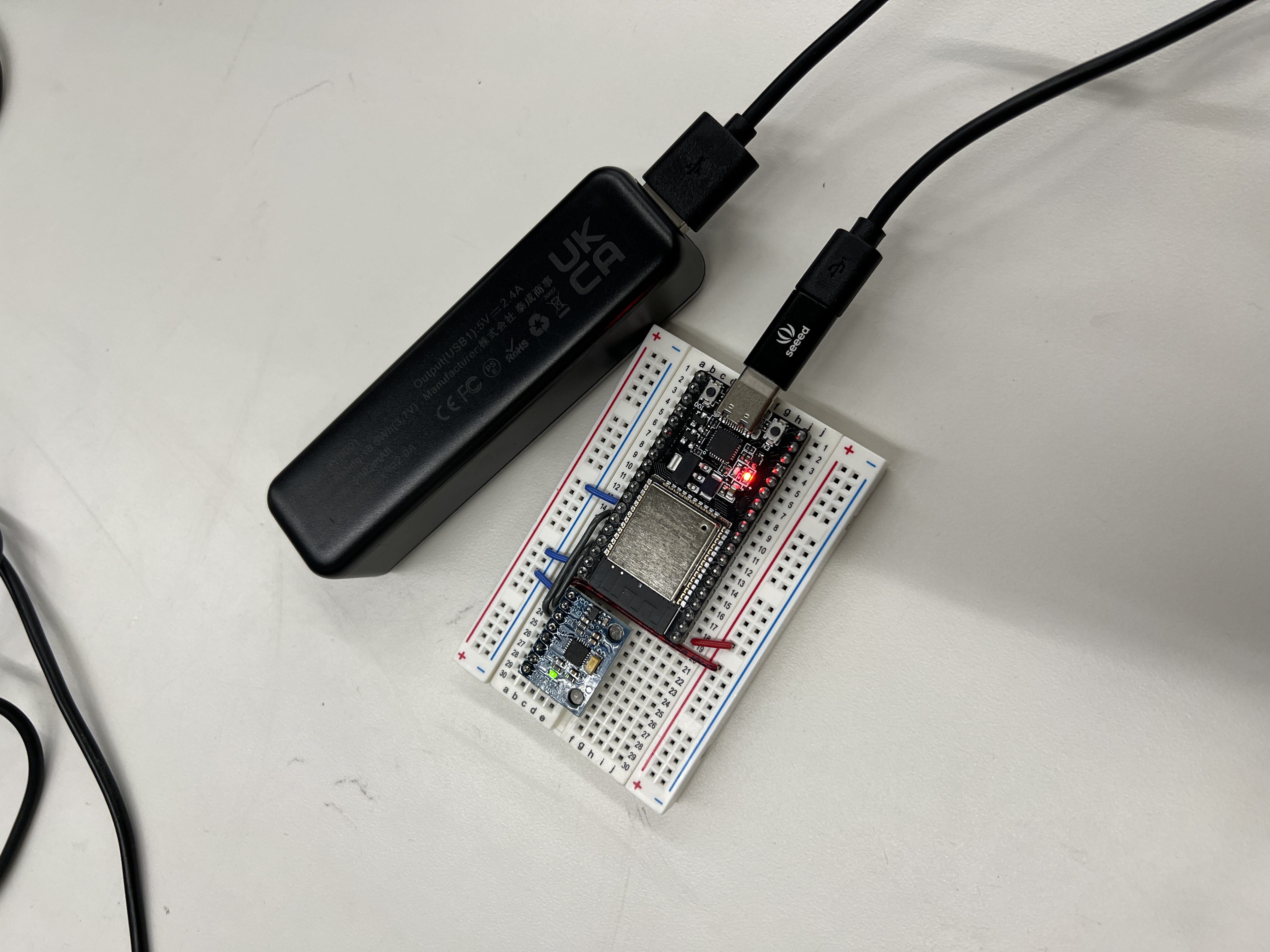
We first connected the MPU-6050 gyroscope to our ESP32 and made sure everything was working. We initially ran into an issue with the first MPU-6050 not working and had to switch it out for a new one. Then we programmed one ESP32 to receive input from the gyro and send that information to another ESP32 to move the turret head using ESP-NOW.
↓ Gyro Code (.cpp)The gyro (sender) code works by getting data from the gyro's movement, such as acceleration, and sending it to the turret head (receiver).
↓ Turret Head Code (.cpp)The turret (receiver) code then receives this data and translates it into movement by controlling two servo motors.
Camera implementation
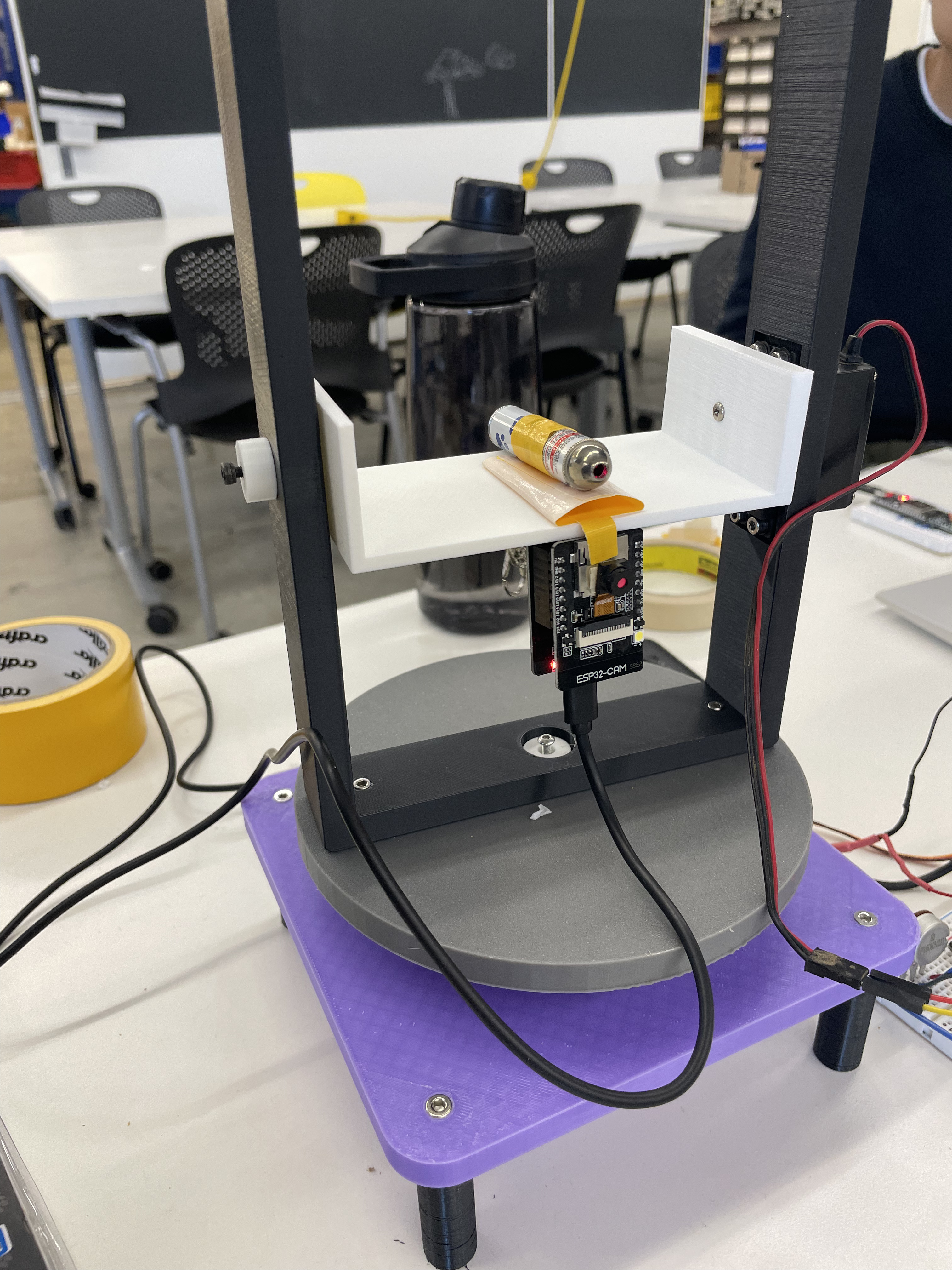
To implement the ESP32-CAM, we used the example code provided in the Arduino IDE, then attached the camera to our turret head. We streamed the live video via web server to one of our phones (connects by IP address).
Reflections
Overall, the project was a fun way to work with radio and WiFi communication to combine our projects. Although we didn't fully integrate the table in this iteration, we'd like to move the table's remote-control system onto a separate controller and fully integrate the three functions into a simple VR system in the future.